Introducing My Watchlist, COT Analysis and COT Signals
There are three new ways to use Tradingster: keep the markets you follow in one place, explore a market's positioning in more detail, and scan across markets for readings worth a closer look.
My Watchlist, COT Analysis and COT Signals are now available in a free preview. Create an account to try them. Your existing public COT reports and charts remain free, with no account needed.
These tools build on Tradingster's Commitments of Traders (COT) reports. They bring saved markets, plain-language summaries and historical comparisons together, with links back to the underlying public reports.
My Watchlist: start with the markets you follow
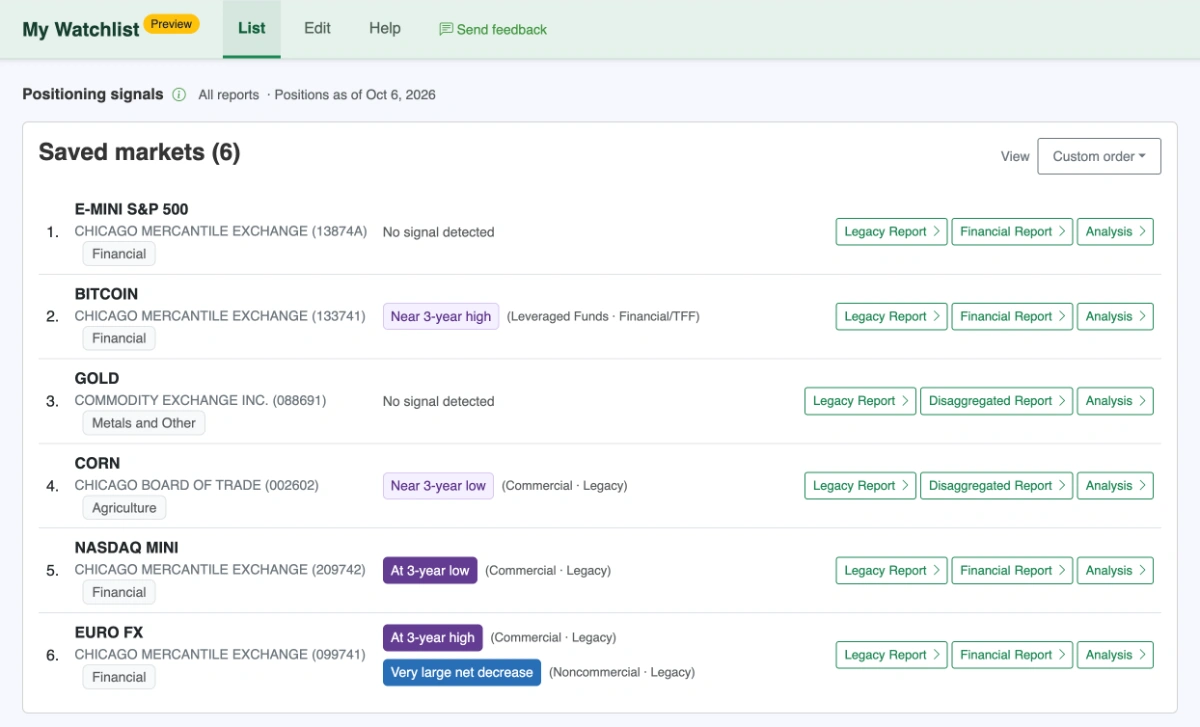
Save markets to your Watchlist, arrange them in the order you prefer, and open their public COT reports from one list. You can keep the list focused on the contracts you actually follow rather than finding them again on each visit.
During the preview, positioning summaries can also help you choose which saved markets to explore further. Open Analysis beside a market for the numbers, trader-group comparisons and supporting details.
The basic saved Watchlist is free. Its analytical positioning summaries are part of the temporary preview.
COT Analysis: put one market's positioning in context
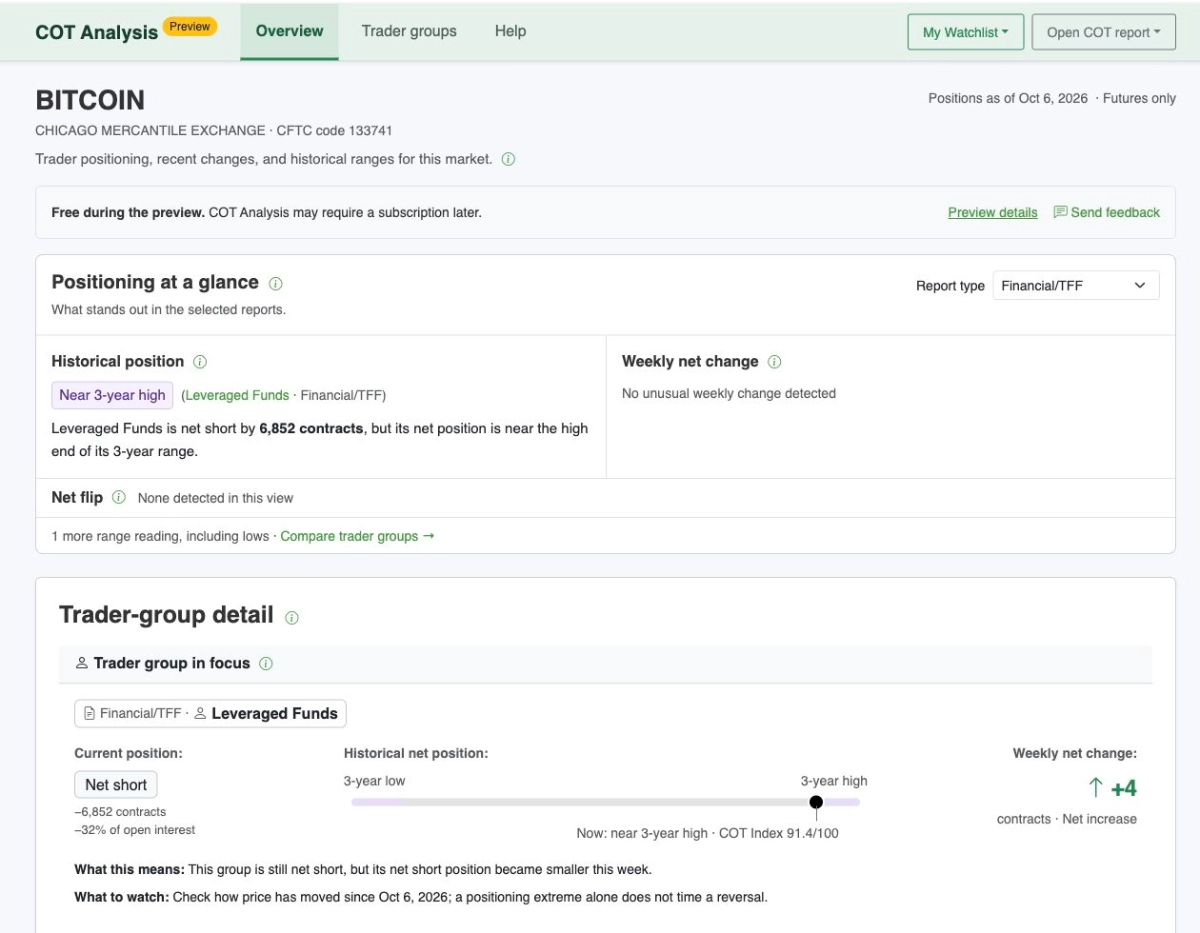
A net position tells you the balance of long and short contracts held by a trader group. Historical context helps you see where that balance sits within the group's own range and how it has changed.
COT Analysis brings those readings together for an individual market. You can see the group's current net position, its historical range and changes from the preceding available report, with short explanations beside the figures.
Where available, you can explore Legacy, Disaggregated and Financial/TFF reports. Comparisons stay within the same report and date, and each group is measured against its own history. You can open the supporting details or follow a link to the public COT report for its charts.
You do not have to save a market to your Watchlist before opening its Analysis page.
COT Signals: find markets to explore
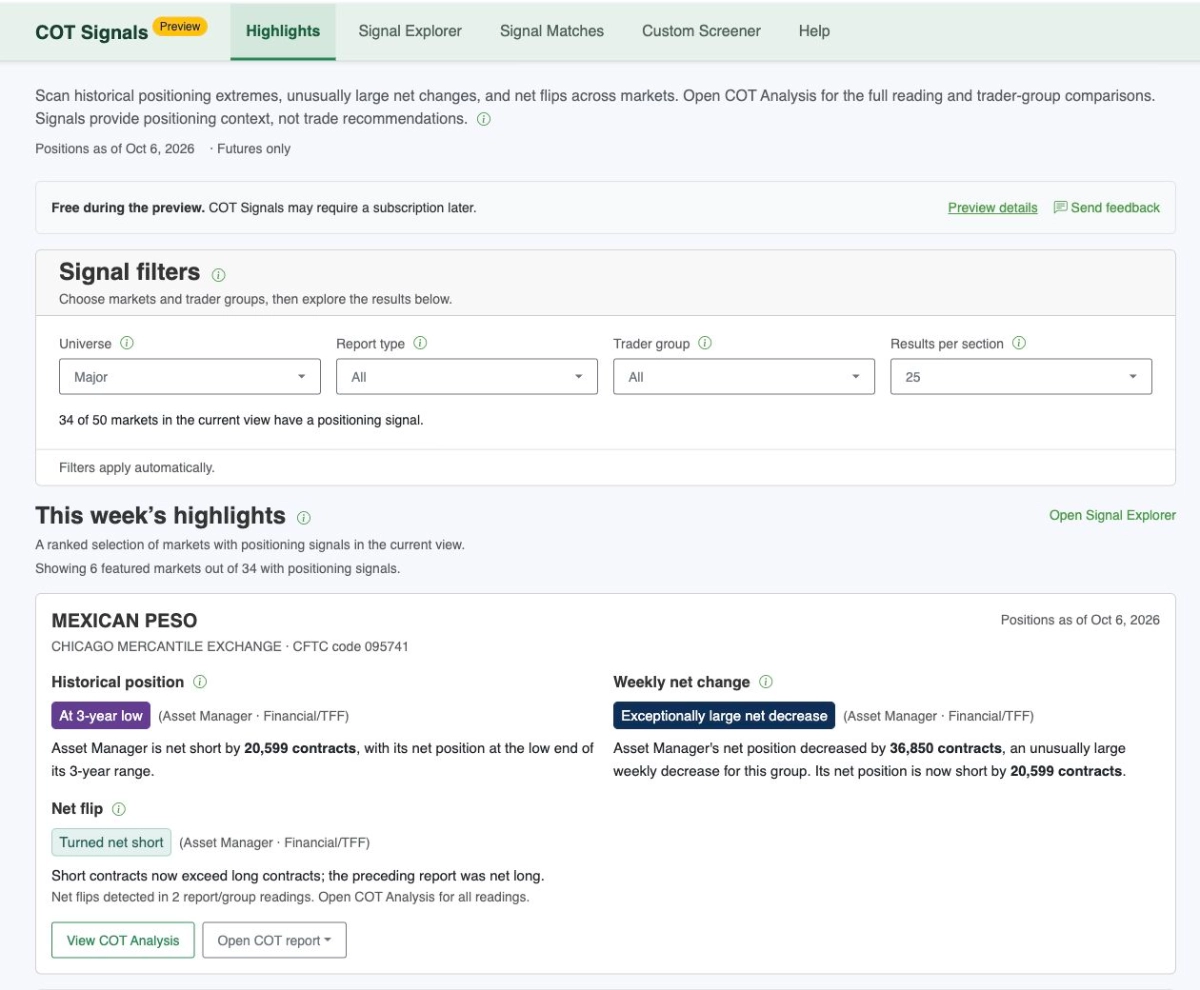
COT Signals is the place to start when you want to look beyond your saved markets.
It brings together historical positioning extremes, unusually large net changes and net flips across futures markets. Use the filters to narrow the view, then open COT Analysis for a market that interests you.
A highlighted reading belongs to a particular trader group and report. Different groups in the same market may show different readings; a highlight does not mean they all agree.
Positioning context, not a price forecast
An “At 3-year high” label refers to the group's net position within its three-year comparison history. It does not mean the market price is at a three-year high or is likely to rise.
Read the report date and comparison period shown with each result. Positions can remain near an extreme across several reports. Limited history and unavailable data are identified separately, and “No signal detected” does not mean prices will stay quiet.
The tools describe reported positioning. They are not live price signals or recommendations to buy or sell.
How the free preview works
Your account and basic watchlist stay free. Positioning summaries, COT Analysis, and COT Signals are free during the preview and may require a subscription later. We'll give advance notice before the preview ends.
No payment card is required. Creating an account does not subscribe you to the Tradingster Updates newsletter.
Try a few markets and tell us what you think
Create an account, verify your email, and add a few markets to My Watchlist. Open Analysis for one of them, or start with COT Signals to explore across markets.
Use Send feedback inside the tools to tell us what was useful, what was unclear or what got in your way. A specific example helps us understand what needs improving.
